DNS Err_too-many-redirects Error
This is one of those errors that looks serious… but is usually just a configuration loop, commonly known as a redirect error. A redirect error is quite simply a message telling you we're going in circles. It feels really bad when it's your own website though, because the automatic response might be 'what have I done wrong and this means nothing to me'. It's worse when your website is live of course because you really don't want a visitor to be faced with this screen output.
So it's not as bad as it sounds, and generally it's easily resolved.
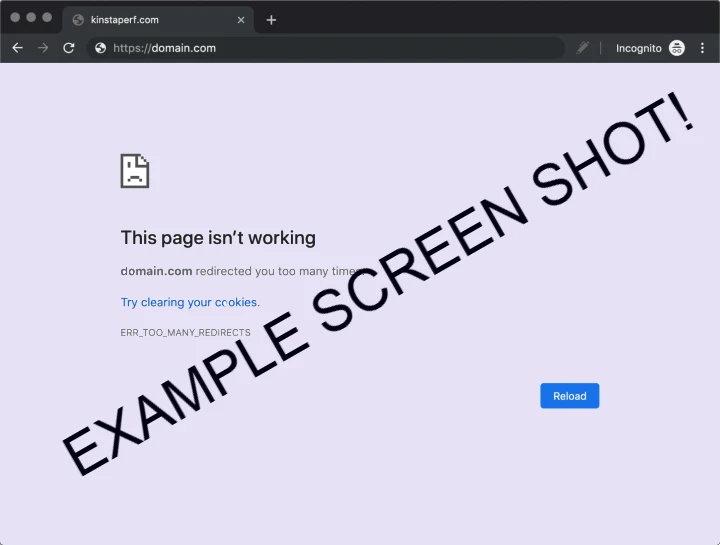
So calm it down, relax and let's take a look at what’s Actually Happening in this ERR_TOO_MANY_REDIRECTS?
In simple terms, your browser is being sent in circles, a loop until it says "Too Many Redirects".
There’s a huge amount of detailed information on this subject across the web. My aim here is not to cover every edge case, but to explain the problem clearly and provide practical checks that actually help you move forward.
So, you visit a page, usually the home page and you're faced with this message. It's unlikely you will be faced with this page as a visitor as it should be picked up during website testing. It is something a WordPress user might see, and especially if you have a domain name divert in use.
The server is saying “go somewhere else, a redirect”. That page (on the server) then says “No, it's not here, go back there”. The browser follows the instructions… and ends up stuck in a loop.
Understanding domain names
Let’s clarify something. When you buy a domain name, you are simply buying a name — not a website. If you type that name into a browser before it is set up, you may see an error such as “This site can’t be reached” or ERR_NAME_NOT_RESOLVED. This usually means the domain is not yet pointing to a server (an IP address) that can serve a website.
Once the domain is connected to hosting, you may see a default page provided by the hosting company, a blank page, or something like a 404 error if no content has been configured yet. In many cases, hosting providers show a standard “welcome” page by default, although this can be turned off or replaced.
So let's look at common causes of our error message
From experience, this usually isn’t one big mistake, it’s two small settings conflicting with each other. If the problem is persistent I would remove all cookies and the browser cache before attempting to fix it.
1. HTTP and HTTPS fighting each other
This error usually happens when two settings are trying to control the same request in different ways. For example, one rule forces a secure connection (HTTPS), while something else pushes the visitor back to an unsecured HTTP version. Modern websites should always use HTTPS, which requires a valid SSL certificate on the domain. Without it, the site will load as HTTP and most browsers will flag it as “Not Secure”. Problems often arise when redirects are set up — for example, pointing one domain to another, or linking a domain to a WordPress site hosted elsewhere. If one part of the system redirects HTTP to HTTPS, but another redirects HTTPS back to HTTP, the browser is sent in a loop. This back-and-forth is one of the most common causes of the ERR_TOO_MANY_REDIRECTS error.
2. WordPress Plugin issues.
WordPress plugins are one of the most common causes of this problem. Plugins try to help by controlling things like HTTPS enforcement, redirects, canonical URLs (www vs non-www), and login or security rules. The issue arises when a plugin rule conflicts with a server or hosting rule. For example, both may try to enforce HTTPS, creating a loop.
Consider any recently installed or updated plugins on your WordPress site. Pay particular attention to plugins that manage SSL (such as Really Simple SSL), redirects, or security. These can force redirects, block access, or apply rules that unintentionally conflict with your server settings.
If you suspect a plugin is causing the issue, temporarily disable plugins and refresh the site. If the error disappears, re-enable them one by one to identify the cause.
3. CDN and Proxy Issues
Content Delivery Networks (CDNs) and proxy services can also cause redirect loops. These services sit between your website and your visitors, and often apply their own rules — including HTTPS enforcement and redirects.
For example, a service like Cloudflare may be set to force HTTPS, while your server or hosting is also trying to control redirects. If these settings don’t match, they can conflict and create a loop.
A common scenario is when the CDN expects HTTPS, but the server still responds as HTTP. The CDN then redirects the request, while the server redirects it back — causing a continuous loop.
CDNs often have different SSL modes (such as Flexible, Full, or Strict). Using the wrong mode for your setup can also lead to redirect issues.
If you are using a CDN or proxy service, check:
- SSL / HTTPS settings
- Redirect rules
- Whether HTTPS is being enforced in more than one place
If unsure, try temporarily disabling the CDN or proxy to see if the problem clears.
As with most redirect errors, the issue is not usually one setting — but two systems trying to control the same request.
Quick Fix Checklist
If you’re facing this error, work through this step by step:
- Clear your browser cookies for the site
- Check you only have one redirect rule (HTTP → HTTPS)
- Decide on www or non-www and stick to it
- Review your
.htaccessfile for duplicate rules - Check your hosting control panel for automatic redirects
- If using Cloudflare, make sure SSL mode is set correctly (usually “Full”)
- Check your Plugins as I explained
A Practical Way to Think About It
Most of the time, nothing is actually “broken”, your website, if it's published still exists.
It’s just two systems both trying to help — and accidentally working against each other.
Once you spot the loop, the fix is usually simple.
Need a Hand?
If you’ve checked the basics and it’s still not clear, I can take a look and fix it quickly.
No jargon, no overcomplication — just a working solution.